
PROFILE DETECTED
Pick the LinkedIn profile that belongs in your pipeline.
CHROME EXTENSION FOR LINKEDIN PROSPECTING
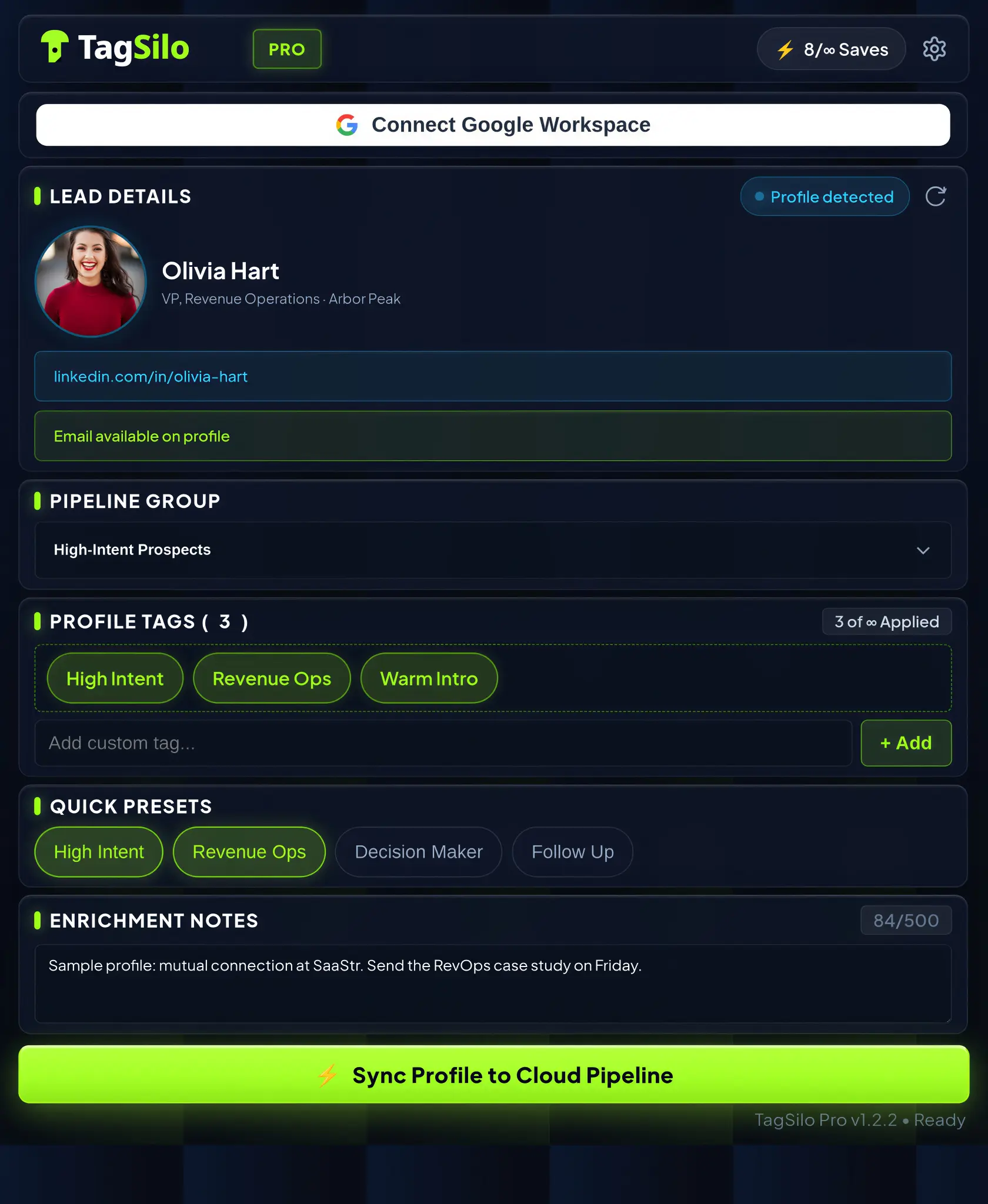
Tag the profiles you choose, assign a pipeline group, add a note, and sync a clean lead record from LinkedIn in one click.
YOUR SHEET STAYS YOUR SYSTEM.
TagSilo is the capture layer between LinkedIn research and a record you can act on.SEE THE CAPTURE RELAY
Turn the research you already do on LinkedIn into an organised Google Sheet row—with the context your next step needs.
INPUT / LINKEDIN
ROUTE / TAGSILO
OUTPUT / GOOGLE SHEETS
Pick the LinkedIn profile that belongs in your pipeline.
Route the profile with a group, tags, and your next-step note.
Save a clean row to the Google Sheet you already use.
SAVE THE SIGNAL
A profile link is not a pipeline. The detail that makes a lead useful—why they stood out, where they belong, and what to do next—is usually what disappears first.
“When you return to your Sheet, you see more than names. You see what to do next.”
Pipeline groups make lists reflect the way you source, sell, or recruit.
Add the mutual connection, timing, message angle, or next step while it is still clear.
Return to your configured Sheet with the records and context your pipeline needs.
YOUR SYSTEM, CONNECTED
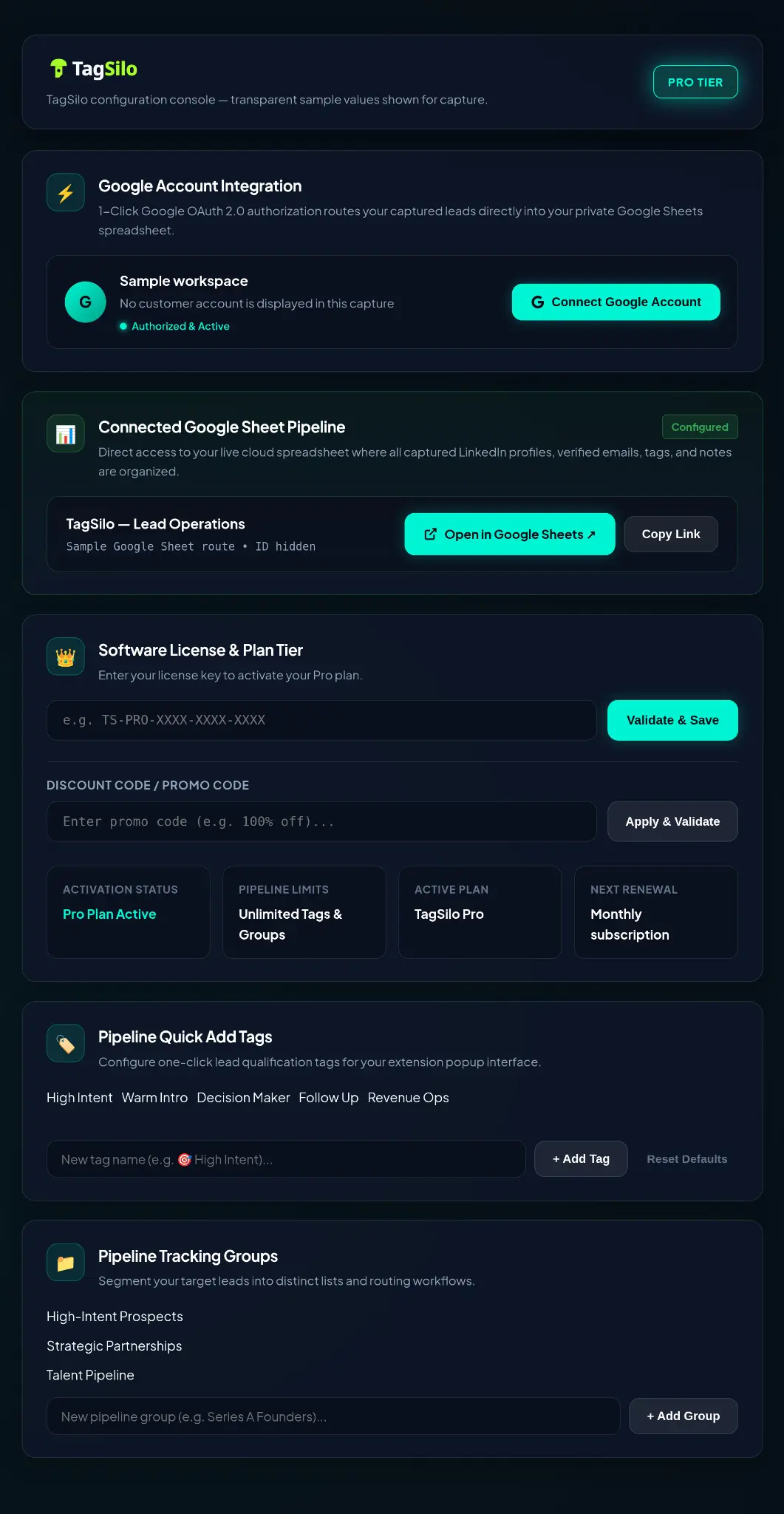
Connect the Google account you use, choose your lead pipeline, and prepare the tags and groups that help you qualify faster.
ONE CAPTURE WORKFLOW / FOUR MOTIONS
High intent · RevOps · Follow up
Client: Acme · Paid social · Warm intro
Series B · Product leader · NYC
Design partner · Founder · SaaStr
A HANDOFF PROBLEM, NOT A CRM PROBLEM
You do not need another tab-heavy system just to make a good LinkedIn profile usable later. TagSilo takes care of the handoff.
Copy a name, title, and profile link into a Sheet.
Save the profile you choose to your configured Google Sheet.
Put notes elsewhere—or rely on memory.
Keep the group, tags, and follow-up idea in the record.
Reopen tabs to remember who is who.
Keep the source profile link and context together.
Wonder whether you saved this profile before.
See a flag when a profile is already saved in your connected Sheet.
A SEAT PROBLEM, NOT A CAPTURE PROBLEM
Lead Lists and notes inside Sales Navigator only exist as long as the seat does. TagSilo saves every record to your own Google Sheet, so the pipeline stays yours regardless of who is paying for the subscription.
Lists live inside a seat someone else may be paying for.
Records live in your own Google Sheet, in your own account.
Built for profiles found through a formal search.
Works on any profile you view, wherever you found them.
Sharing a list means the other person needs a paid seat.
Share your Sheet with anyone who has a free Google account.
Ninety nine dollars or more a seat, every month.
Nine dollars and ninety nine cents a month, total.
SIMPLE PRICING
Use TagSilo on your next LinkedIn profiles. Upgrade when daily limits and one pipeline no longer fit your workflow.
FREE / 00
PRO / 01 RECOMMENDED
For agency and multi-seat access: talk to us about your workflow.
FAQ / BEFORE YOU INSTALL
The practical details about workflow, setup, and what TagSilo does—and does not—do.
TagSilo is a Chrome extension that helps you save LinkedIn leads to Google Sheets. Choose a pipeline group, add tags and a note, then save an organised lead record to your configured Sheet.
No. TagSilo is a capture and organisation layer. It does not send LinkedIn messages or connection requests on your behalf. You choose the profiles you review and the records you save.
No. TagSilo only records a profile after you choose to save it, the same way a manual note would. There is no automated browsing, connecting, or messaging, so TagSilo does not carry the account risk that comes with automation tools.
No. TagSilo is designed for people who use Google Sheets as their lead list or want a cleaner first step before a qualified lead reaches another system.
The Free plan includes up to three profile saves per day, one active pipeline group, up to two tags per lead, and Google Sheets saving.
READY WHEN YOU FIND THE RIGHT PERSON
Add TagSilo to Chrome and stop rebuilding LinkedIn leads by hand.